
Are you looking for ways to reach more people with your church’s message? Have you noticed how some churches are thriving online, connecting with both their members and a broader audience? The secret could be as simple—and powerful—as live streaming.
Live streaming is no longer a tool just for tech-savvy churches with big budgets. Today, even small congregations can broadcast their services and events to the world. And the best part? It can dramatically improve your church’s social media presence.
Live streaming is one of the most effective tools for increasing your church’s visibility, engagement, and online ministry reach.
In this article, you’ll learn exactly how to use live streaming to elevate your social media presence, boost participation, and create meaningful digital connections. We’ll cover practical steps, essential tools, content ideas, and real strategies that work. Whether you’re new to live streaming or want to take your church’s online ministry to the next level, this guide is for you.
A Detailed Explanation: How Live Streaming Boosts Social Media Presence
What Is Live Streaming for Churches?
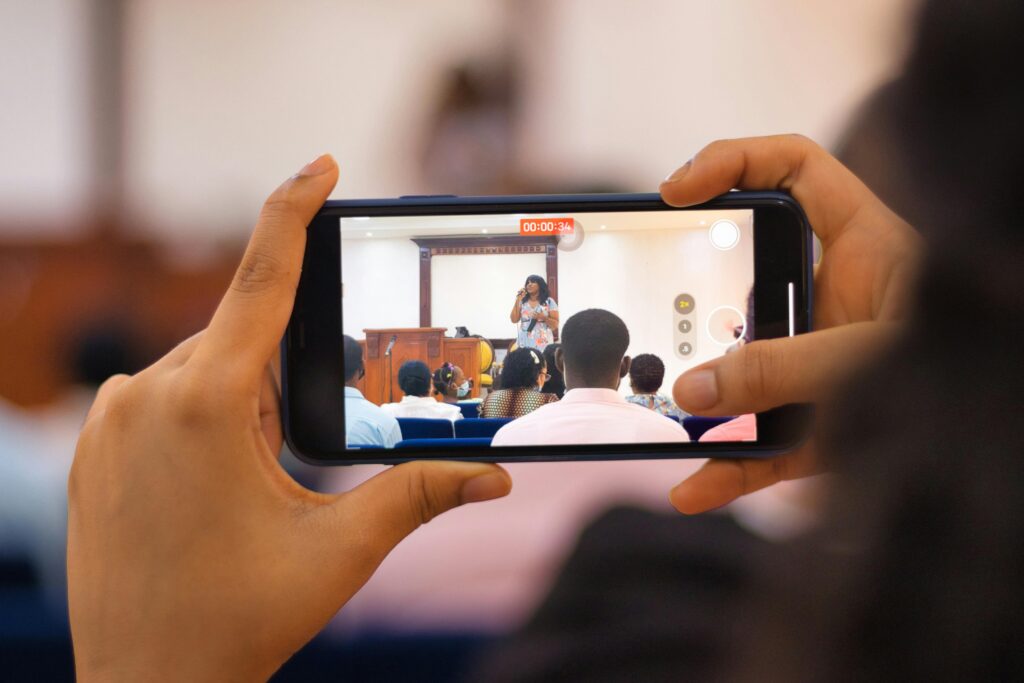
Live streaming is the act of broadcasting your church services or events over the internet in real-time. Platforms like Facebook Live, YouTube, Instagram, and X (formerly Twitter) allow churches to go live and engage with viewers instantly.
The best part? Your audience can watch from anywhere—at home, on the go, or even from another country.
Why Social Media and Streaming Go Hand in Hand
When you go live, your content:
- Gets priority in newsfeeds (especially on Facebook and Instagram)
- Sends instant notifications to your followers
- Encourages real-time interaction through comments, likes, and shares
This organic engagement boosts your church’s visibility without needing to spend money on ads.
Benefits of Live Streaming for Churches
- Wider Reach – Connect with people beyond your physical location.
- Real-Time Engagement – Talk to viewers, pray for them live, and read their comments.
- Cost-Effective – Most live streaming platforms are free.
- Consistency – Weekly live services build anticipation and loyalty.
- Improves Discoverability – Social media algorithms love live content.
Here’s everything else you need to know to get started and thrive.
How to Use Live Streaming to Enhance Your Church’s Social Media Presence
1. Choose the Right Platform
Your first step is deciding where to stream. Popular platforms for churches include:
Facebook Live
- Great for older and middle-aged audiences
- Easy to share and invite others
- Works well for prayer sessions, sermons, and Bible studies
YouTube Live
- Ideal for long-form services and events
- Helps build a library of sermons
- Good for youth and younger adults
Instagram Live
- Perfect for quick messages, behind-the-scenes, and youth content
- Ideal for mobile-first viewers
Multistreaming Tools
Use tools like Restream or StreamYard to go live on multiple platforms at once.
2. Invest in the Right Equipment
You don’t need a full media team to go live. Start small and grow over time. Essentials include:
- A good smartphone or camera
- Tripod or stabilizer
- Microphone for clear audio
- Ring light or soft light source
As your needs grow, consider a DSLR camera and video encoder for high-quality streaming.

3. Create a Consistent Live Streaming Schedule
People love consistency. Stream your main Sunday service and consider adding:
- Weekly devotionals
- Prayer nights
- Youth-focused lives
- Q&A sessions with the pastor
Announce your live schedule in advance and stay consistent.
4. Make Your Live Streams Interactive
The more interactive your livestream, the better your engagement. Try:
- Asking viewers to comment where they’re watching from
- Praying for live prayer requests
- Shouting out viewer names
- Encouraging likes and shares during the stream
This turns passive viewers into active participants.
5. Promote Your Live Streams Before and After
Before going live:
- Post teaser graphics
- Send reminders via WhatsApp or email
- Use countdowns in Instagram Stories
After the stream:
- Repost the video on your timeline
- Create short clips for Instagram Reels and TikTok
- Ask members to share the replay
6. Optimize Your Stream Titles and Descriptions
Make sure your titles and descriptions include relevant keywords like:
- “Sunday Worship Live”
- “Live Prayer and Healing Service”
- “Facebook Live Church Service Kenya”
Add hashtags like #OnlineChurch #LiveService #FaithOnline to increase discoverability.
7. Measure and Improve
Use platform insights to measure:
- Viewer numbers
- Watch time
- Peak engagement
Then adjust your format, time, or content style to improve.

How Africads Consultants Helps Churches with Live Streaming
At Africads Consultants, we’ve helped dozens of African churches embrace the power of digital media. From setting up live streaming gear to managing your content calendar, we guide you every step of the way.
Here’s how we help:
- Live stream setup for Facebook, YouTube, and Instagram
- Social media strategy for churches
- Custom streaming templates and overlays
- Training for your church media team
- Google Ads to promote your streams
- Content repurposing into reels, YouTube shorts, and quotes
Want a team to help grow your church online? Book a free consultation with Africads Consultants today.
Conclusion: Strengthen Your Church’s Presence with Live Streaming
How to use live streaming to enhance your church’s social media presence is no longer a mystery—it’s a ministry strategy that works. With the right tools, plan, and team, your church can inspire lives beyond your walls.
Let the Gospel go viral. Let your message reach the unreached. Let your church grow—online and offline.
👉 Ready to get started? Contact Africads Consultants today and let’s take your church live—professionally and purposefully.
FAQs
1. Do I need a professional camera to start live streaming my church?
No, a smartphone with a decent camera and stable internet is enough to begin.
2. Which platform is best for live streaming a church service?
Facebook Live and YouTube Live are both excellent; use the one where your congregation is most active.
3. How long should a church livestream be?
30 to 60 minutes is ideal for full services. Shorter sessions (10–15 mins) work well for devotionals or prayer.
4. Can I schedule live streams in advance?
Yes, most platforms allow you to schedule lives with countdowns and alerts.
5. How can I get more viewers for my church livestream?
Promote ahead, use compelling titles, and engage your audience during the stream.
6. Is multistreaming a good idea for churches?
Yes! It helps you reach people across platforms at the same time.
7. How often should I go live?
At least once a week. More frequent lives increase engagement and visibility.
8. How do I handle trolls or negative comments during a stream?
Assign a moderator to monitor chats and mute/block inappropriate users.
9. Can I monetize my church livestreams?
Yes, especially on YouTube through donations and ads. But always prioritize ministry over money.
10. What if our internet connection is poor?
Pre-record your message and premiere it live, or use a lower resolution stream to avoid buffering.


