


As a church leader, you’ve probably asked yourself: “How can we connect with more people in our community and boost our visibility online?” The answer lies in using digital tools that make your church more discoverable. One of the most powerful, yet underused, tools for churches is Google My Business.
In this article, we will walk you through how to set up and optimize Google My Business for churches, why it is crucial for your local SEO, and how it can help you engage more people in your local community. We’ll also provide step-by-step tips and strategies to enhance your church’s online presence, helping it stand out among other local organizations. Here’s how to get started!
A Detailed Explanation of Google My Business for Churches
What Is Google My Business?
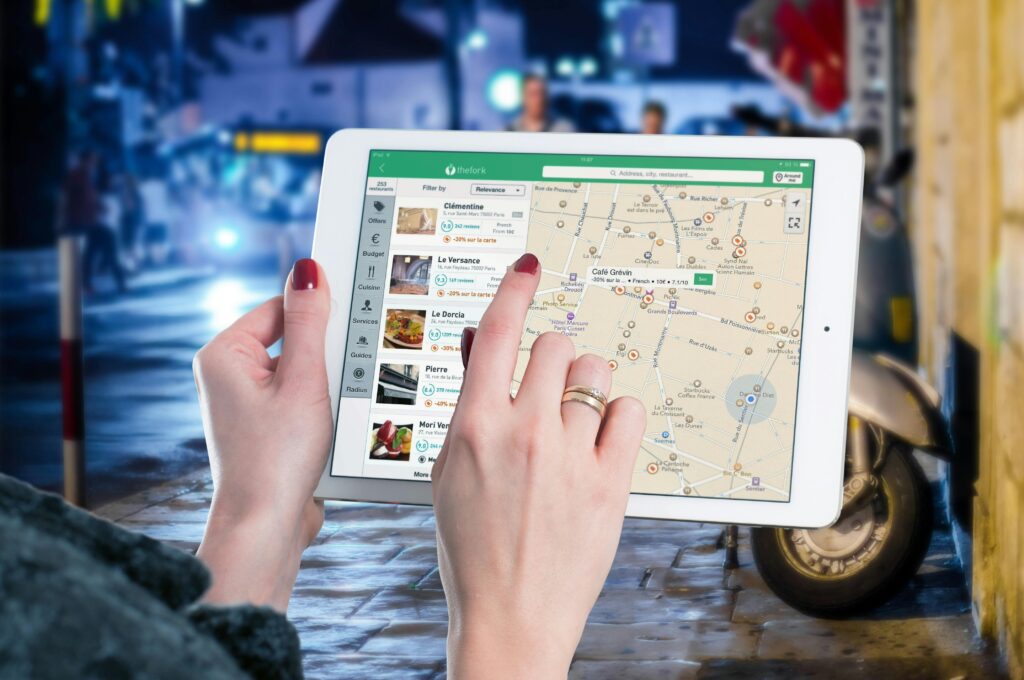
Google My Business (GMB) is a free tool that allows organizations, including churches, to manage their online presence across Google, including Google Search and Google Maps. It offers a unique platform for churches to share vital information with their local community—things like service times, events, and contact details.
With millions of people turning to Google to find local services, having a well-optimized GMB listing makes it easy for anyone to find your church and learn more about what you offer. For churches, this can be a key component in reaching out to the community and spreading the message of faith.
Why Churches Should Care About Local SEO
Local SEO focuses on optimizing your online presence so your church appears in local searches, like “churches near me” or “Sunday services near [City Name].” When people in your community search for churches, you want your congregation to show up at the top of the list.
By optimizing your Google My Business profile, your church can enhance its local SEO. This means your church will be more visible in local searches, potentially attracting new congregants who may not have found you otherwise.
Setting Up Google My Business for Your Church
To take full advantage of Google My Business, you need to set up your profile correctly. Here’s how:
- Create a Google Account: If your church doesn’t already have one, set up a Google account. This will be used to manage your GMB profile.
- Claim or Create Your Listing: Search for your church on Google to see if a listing already exists. If it does, you can claim it by following the verification process. If not, you can create a new listing by entering your church’s name, address, and phone number.
- Verify Your Church: Google will send a postcard to your church’s address with a verification code. You’ll need this code to verify your listing.
- Complete Your Profile: Fill in all the details about your church—address, phone number, website, service times, and a brief description of your mission. Make sure this information is accurate and up to date.
Optimizing Your Google My Business Profile for Local SEO
Once your GMB profile is set up, the next step is optimization. Here are a few tips on how to do it effectively:
1. Choose the Right Categories
When setting up your profile, you’ll be asked to choose a category for your church. Choose “Church” as your primary category. You can also add secondary categories like “Nonprofit Organization” or “Religious Organization” to better define what your church offers.

2. Add High-Quality Photos
Photos are a powerful way to engage people who are searching for local churches. Include high-quality images of your church building, events, and the congregation. Be sure to add photos of your leadership team to make your church feel welcoming and relatable.
3. Keep Your Information Updated
Make sure your service times, phone number, and address are always accurate. If you have any special events, use the Google Posts feature to announce them. Keeping your profile up-to-date ensures that people who find you online know what to expect when they visit.
4. Encourage Reviews from Congregants
Reviews are a big part of local SEO. Positive reviews not only help your church rank higher in local searches but also build trust with potential visitors. Encourage your members to leave a Google review about their experiences at your church. Don’t forget to respond to reviews, showing your appreciation and engagement.
5. Utilize the Google Posts Feature
Google Posts allow you to share updates, events, and announcements directly on your GMB listing. This is a great way to promote special services, community outreach programs, or church events. Posts can include a call to action, such as “Join Us for Sunday Service” or “Learn More About Our Community Programs.”
How Google My Business Improves Your Church’s Local SEO
Google Maps and Local Search Visibility
When your church’s Google My Business profile is optimized, your listing can appear in Google Maps when someone searches for churches in your area. This visibility is essential for local search rankings, as many users rely on Google Maps to find directions and contact details for local businesses, including churches.
Increase Foot Traffic to Your Church
By appearing in local searches, your church becomes more visible to people who may not have known about it before. This can directly translate into an increase in foot traffic, particularly from those searching for a new place of worship or curious about attending a service.
Mobile Search Optimization
A significant portion of local searches happens on mobile devices. Optimizing your church’s GMB profile ensures that people searching for churches on their phones can quickly find relevant information, such as service times, location, and directions. This can lead to more visitors, especially those new to the area.
Additional Tips to Boost Your Church’s Local SEO
Optimize Your Website for Local Search

Your church website is a vital part of your local SEO strategy. Make sure it’s optimized for keywords related to your church and location. Add your church’s name, address, and phone number (NAP) on every page, and ensure it matches the information on your Google My Business profile.
Local Link Building for Churches
Another powerful way to boost your church’s local SEO is by earning links from local organizations and directories. Reach out to community websites, local newspapers, and nonprofit directories to see if they can link to your church’s website.
Use Schema Markup
Schema markup is a type of code that helps search engines understand the content on your website. Using local schema on your church website can give Google more context about your location and the services you offer, which helps improve your visibility in local searches.
How Africads Consultants Can Help Your Church with Google My Business Optimization
At Africads Consultants, we specialize in helping churches and nonprofits maximize their online presence through digital tools like Google My Business. Our team of experts will assist you in setting up, optimizing, and managing your GMB profile to ensure your church reaches the right audience.
We also offer comprehensive services that include local SEO strategies, content creation, and website development to further enhance your church’s visibility. Whether you’re looking to increase attendance or engage more deeply with your community, Africads Consultants can help you achieve those goals.
FAQs
1.What is Google My Business for churches?
- It’s a free tool that allows churches to manage their online presence on Google Search and Maps.
2.How can GMB help my church increase visibility?
- It improves your church’s local SEO, making it easier for people in your area to find you online.
3.Why is local SEO important for churches?
- It helps your church rank higher in local searches, attracting more visitors from your community.
4.How do I optimize my church’s GMB profile?
- Ensure accurate information, add photos, encourage reviews, and use Google Posts to promote events.
5.What are Google Posts, and how should my church use them?
- Google Posts are updates or announcements on your GMB profile. Use them to highlight events or services.
6.How do reviews impact my church’s local SEO?
- Positive reviews improve your church’s ranking in local search results and build trust with potential visitors.
7.Can I manage my church’s GMB profile on mobile?
- Yes, you can manage your GMB profile using the Google My Business app.
8.How often should I update my Google My Business profile?
- Regularly update service times, events, and any important details to keep your information current.
9.How can local SEO increase my church’s attendance?
- By ranking higher in local searches, more people can discover and attend your church.
10.What are the benefits of using Google Maps for church searches?
- It provides directions, contact info, and helps people easily find your church location.
Google My Business for churches is a powerful, free tool that can help your congregation become more visible in local searches, improve engagement with your community, and attract new members. By optimizing your profile and consistently updating it with relevant information, your church can rank higher in local search results, leading to increased attendance and deeper community involvement.
With Africads Consultants, you have a partner to guide you through this process, ensuring your church makes the most of the digital tools available today to further its mission.


